|
Hi [FIRST.NAME],
Welcome to the June iolo affiliate newsletter. In the
last edition of the affiliate newsletter
we let you know about some of the new creative that
you'll find through your Linkshare account. In this
edition of the newsletter we want to introduce you to an
article which was recently sent through iolo's internal
lists; 'Registry Cleaners: Snake Oil or PC Panacea?'.
This is information that all prospects need to read
before they consider purchasing a registry cleaner,
as it outlines why Total Registry Revitalizer™ [one of the
many tools available within System Mechanic] is the total solution
that they're looking for...
Reminder:
Great news!
System CheckUp™ is
now available for promotion through our affiliate
program.
In case you missed
the first May affiliate newsletter, please
be sure to check it out as it outlines in great
detail what System CheckUp™ does, how it works,
and why you need to get started promoting this hot utility
today!
First off though, to help you with your promotion for
System Mechanic 10.8 we're offering your customers a
massive 50% off retail coupon! You can grab the code to
add the coupon to your website/blog below:

Please note:
Feel free to use the copy/graphic from the article below on your website/blog.
Registry Cleaners: Snake Oil or
PC Panacea?
Learn why your PC may actually run
dramatically slower if you
only clean the registry.
Many people report advertisements for so-called "registry
cleaners" popping up all over the web these days.
These cleaner-programs are cleverly positioned as the
one-click cure to any number of creative computer
ailments, from general annoyances to outright machine
failure.
 Savvy
iolo customers routinely inquire about registry
cleaners. The answer is simple: Yes, cleaning the
registry is an important part of overall PC maintenance,
but it is far from a complete solution, and by no
means the cure-all it has been made out to be lately
[acai berry anyone?] Savvy
iolo customers routinely inquire about registry
cleaners. The answer is simple: Yes, cleaning the
registry is an important part of overall PC maintenance,
but it is far from a complete solution, and by no
means the cure-all it has been made out to be lately
[acai berry anyone?]
More importantly, iolo Labs testing has shown that only
cleaning your registry can actually make your PC
slower than before, because the cleanup process
fails to account for the bloat and fragmentation left
over after removing orphaned data. Without a total
solution, your registry just becomes a larger block of
Swiss cheese with more holes each time you clean
it.

After just one cleanup, the
Windows registry can be left full of
holes, fragmentation, and wasted space, resulting in
dramatic
performance degradation if not addressed.
Total
Registry Revitalizer™: A complete registry
maintenance method
If cleaning the registry is only one of a series of steps
required for total registry health, what else is
required?
Here's how the complete process should look:

The registry is scanned for a
variety of problems. Any errors,
corruption, or orphaned data is identified and
diagnosed.

All registry problems are removed
and cleaned, leaving an
error-free registry but with new bloat and fragmentation
caused by holes left over from cleaning.

The registry is compacted and
defragmented, eliminating all
bloat and data entropy so that maximum PC performance
can be achieved.

The newly revitalized registry is
then immediately backed up
to ensure it can be used in the event of disaster or
needed
rollback in the future.
How to start working with the
Total Registry Revitalizer
System Mechanic offers a number of
ways to start using the Total Registry Revitalizer tool.
Here are a few quick ways to get started:
Run Total Registry Revitalizer
from System Mechanic
-
Start System Mechanic
-
Click Toolbox -> All-in-one Tools
and then scroll down to Specialized Tools
-
Locate Total Registry Revitalizer
and then click Start

The Total Registry Revitalizer tool screen
will open. Follow the on-screen instructions to begin the
process.
Run Total Registry Revitalizer from the
Windows 7/Vista Desktop Gadget
System Mechanic comes with a convenient
Desktop Gadget that allows you to access important tools with
just a few clicks. If you're running the System Mechanic Gadget,
you can launch the Total Registry Revitalizer directly from your
desktop.
-
Click the health and security meter
on the System Mechanic Desktop Gadget
-
Click the Shortcuts tab
-
Click Perform all-in-one registry
maintenance with the Total Registry Revitalizer
The Total Registry Revitalizer tool screen
will open as above.

iolo's Products
are Available Through a Full Product Data Feed
Do you offer price shopping
comparison tools to your consumers? Would you like to
receive a data feed of iolo's products? If so, then
please
contact me.
Product Bundle: System Mechanic 10.8 PLUS Search and
Recover. Only $39.95 [Save $49.95!]
We're pleased to announce an exclusive offer just for
affiliates. You can now offer your customers a bundle of
the following products:
1.
System Mechanic 10.8 [Regular price: $49.95]
Everything you need to fix and speed Up Your PC.
2.
Search and Recover. [Regular price: $39.95]
Rescues accidentally deleted files, photos, MP3's & more.
Great news: through the link below your customers can purchase
both titles for only $39.95! This means that they'll save a
massive $49.95.
Check
out a selection of banners for this campaign you should consider
adding to your website/blog:
There are lots more banner sizes available for this campaign
through Linkshare. If you have any size requests, or
feedback, for the banners above please
email me.
Linkshare Trackable Video Files
Would you like to add high quality videos
that promote iolo's products to your website [in less than 2
minutes] and track sales through Linkshare? Now you can! Check
out the links below:
System Mechanic Promotional Video
System Mechanic Radio Ad
Please note:
Do not enter a link in the box on the page where you see "Step
1. Enter your unique affiliate ID code here:". You need to
provide your unique Linkshare ID code that's contained within
your affiliate links.
Your Linkshare ID code is: [SITE.CODE]
Calling All Email Marketers!
If
you have a list that you think might be interested in iolo's
software I'd like to speak with you! We have a lot of [tested
and proven] messages that can be used by email marketers through
their lists. Email me
for more details.
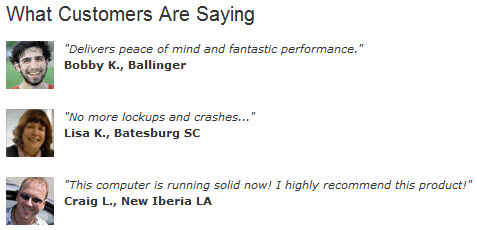
What Customers Are Saying...
Here're a Handful of Reasons Why You
Should Work With Us:
- High
Conversion Rate. We convert your traffic! iolo's
respected brand, high quality software, low price point and
great value results in a conversion rate that averages 2%
across all earning affiliates. [Our top affiliates convert
at over 5%.]
-
High Commission Rate: We'll pay you 30% on each and
every sale you make through the iolo affiliate program.
- Trusted Program Management. iolo's affiliate
program is run through the Linkshare network and
professionally managed by
AMWSO.
- 45 Day Cookie. The customers you refer to us don't
have to buy right away for you to profit. We have a 45 day
tracking cookie so even if they return to our website and
purchase weeks after visiting through your site we'll still
pay you.
- Monthly Newsletter Support. As an iolo affiliate
you'll receive an informative monthly email that will give
you the tools/resources to better market iolo's software.
We'll also keep you updated on affiliate competitions,
activation bonuses, program updates etc.
- Keyword Support for CPC Campaigns. iolo offers
affiliates full support for paid search campaigns.
Email me for a full keyword list.
- Parasite Free Program. As with all AMWSO managed
programs the iolo affiliate program is parasite free, and
always will be.
- Free Content. iolo offers affiliates high quality
content that can be used for Web and Email Marketing.
Email me for more information.
Have a great day!
James D. Nardell
iolo Affiliate Management Team
Email:
James.Nardell@iolo.com
Phone: (805) 624-5669
IM -
JamesNardell@hotmail.com [MSN Messenger]
IM -
JamesNardell@gmail.com [Google Talk]
http://www.iolo.com |
iolo Website
http://www.amwso.com/iolo.php | Affiliate Support
Website
|