|
iolo July
Newsletter |
|
Dear [FIRST.NAME],
Welcome to the iolo affiliate newsletter for July. In
the last edition of the affiliate newsletter,
we introduced
you to an iolo.com article:
"Have You Heard the Term "PUPs"? Here's What You
Should Know About These Nuisance Apps":
In this edition of the newsletter we're going to cover the
following items:
-
iolo.com Article; "Tips on Telework".
-
iolo's Massive 60% Off Work From Home Coupon!
-
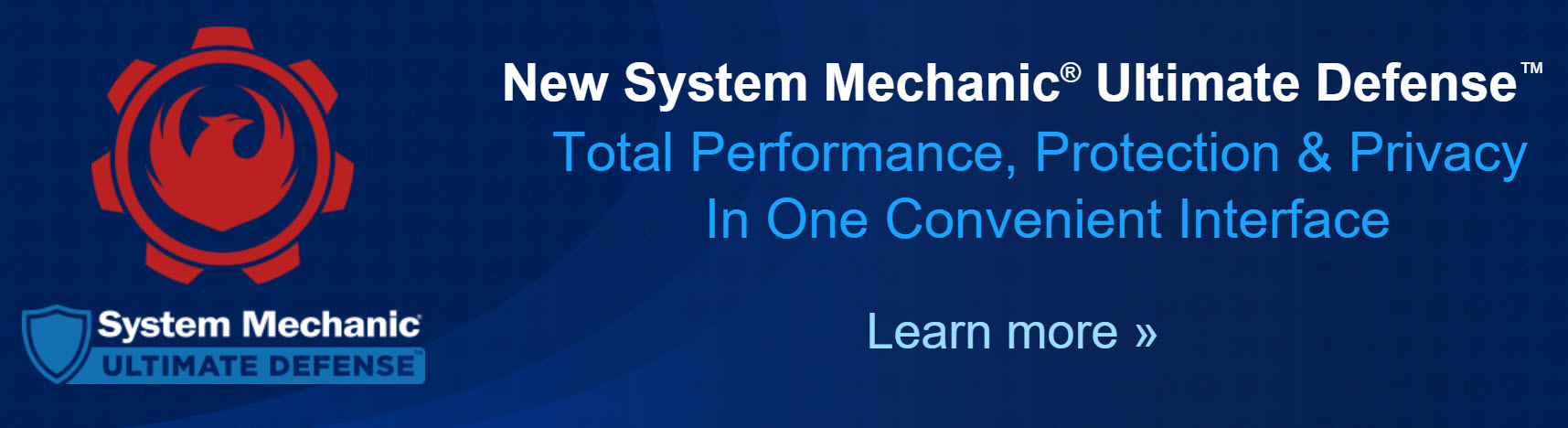
High-converting Banner Set For System Mechanic Ultimate Defense.
-
Affiliate Masterclass; "What
is BIMI and why should email marketers care?'"
Thanks for all that you do!
Regards,
iolo technologies Affiliate Program Team
affiliates@iolo.com
|
|
 |
|
iolo.com Article;
"Tips on Telework" |
|
Please note: Feel
free to use the copy/graphics below on your website/blog.
If you're fortunate enough to
work from home during the crucial curve-flattening phase of the coronavirus,
you'll undoubtedly notice some rules changes--some subtle, some not so
subtle. To get the most out of your new status as a member of a
distributed workforce, you may want to keep the following tips in mind.

Toward Better Online Meetings
In the new era of social distancing, here is a guide to making video calls
more tolerable for you and your colleagues.
Video setup. Whichever software you are using, it's worth
previewing your webcam. To see how you look on a PC, click Start,
then Camera. Mac users, launch the Photo Booth app to check
your picture. When framing the shot, choose a background that's simple,
avoiding busy wallpaper patterns, views into other rooms, or clutter.
Lighting. Avoid sitting directly under a light source because
it can throw ghoulish shadows under the eyes. Also keep direct light
sources--whether from a lamp or a window--out of the shot: position the
light source in front of or beside you.
The easiest way to achieve decent lighting is to put your computer on top of
a stack of books so the camera is slightly higher than your head, and point
it down into your eyes. Next place a lamp next to and slightly behind the
computer to one side of your face. Place white paper or a white tablecloth
on the table where you're sitting, keeping it out of frame. This will serve
as a makeshift bounce card for the light and will make a surprising
difference in the quality of the shot.
Audio. Choose a room with carpeting if possible, and close windows to
muffle sound. Avoid laptop microphones if you can; headsets or tabletop
external mics sound far better.
Don't forget to mute your mic before joining a call with multiple people.
Unmute only when it's your turn to speak. A good headset can reduce
background noise such as barking dogs and small children, but better still,
the free app krisp.ai works
as a “family noise” filter, claiming you won't need to mute yourself at all
while listening to others speak.
Latency. Visit
speedtest.net to check your internet speed. If it's below 20 megabits
per second, chances are your video is going to look pixelated and have audio
delays.
Click here to discover ways System Mechanic's NetBooster feature can
improve your internet speed.
Writing Matters More
Now
In the new remote-work world, your written communications take on more
importance. In particular, the tone of your emails may need some extra
loving care, as they are largely supplanting face-to-face conversations in
which tone is far easier to discern.
The guiding principle for a distributed workforce should be: Assume
positive intent from others' written communications--i.e., try not to
bristle too easily if something strikes you as coarsely stated. But also
be conservative with your output--i.e., read what you've typed with an
eye toward what might be read the wrong way.
In an email exchange, if you and a colleague seem to be talking past one
another, occasionally things can go sideways quickly during an accelerated
back-and-forth. In this case it's best to jump mediums and hop on a
phone call to reset and defuse any tensions.
WFH FTW?
While it may seem at times to be a major contributor to cabin fever, there
are unique advantages to working from home.
The extra importance of written communications described above is an
opportunity to clarify what was decided during multi-person meetings by
designating a note-taker. Many times in-person meetings can come and go
without a clear understanding of next steps and designated “action items.”
Telework can help sharpen and clarify decision-making and ensure all are on
board.
Remote work can also alleviate in-person pressure to too quickly agree; it
lets the introverts in the office mull over ideas and contribute more at
their own pace.
Finally, there is the added benefit of being able to better control your
workspace. As a member of a distributed team, you are a member of a pure
meritocracy. Take a walk break, light a candle, do pushups at your
desk--whatever helps you perform better. Your work output is paramount; no
one cares anymore if you reheat fish in the microwave at lunchtime.
This article is part of a series on safeguarding and getting the most out
of technology during the coronavirus.
To read more about what System Mechanic can
do to keep your computers healthy, fast and safe,
click here.
If you have any questions/comments on the above, please email
us.
|
|
|
|
iolo's Massive 60%
Off Work From Home Coupon! |
|
Sometimes it
feels like this day will never come, but when the world
fully opens back up after the Covid-19 pandemic, many
parts of society, the economy, and the workplace will
not be the same.
Currently, around 34 percent of US workers are
estimated to be working from home. Many will not go
back to the old ways of working. A survey of senior
finance leaders by the research firm Gartner found that
74 percent of organizations plan to shift some
employees to remote work permanently. Consulting
company Global Workplace Analytics estimates that when
the pandemic is over, 30 percent of the entire
workforce will work from home at least a couple times a
week. Before the pandemic, that number was in the
low single digits.
So why is this figurative tectonic shift in working
important to iolo and our valued affiliate partners?
Simple. Technology, and most importantly software, is
playing an ever-increasingly important role now that
knowledge workers have familiarized themselves with its
benefits! Video apps like Zoom and chat software like
Slack now even carry over into their regular day-to-day
life. They're not just for work!
iolo has seen a huge spike in sales since the Covid-19
pandemic gained traction, and people were forced to work
from home. If you've got an important conference call to
make, or you need your PC to be able to handle that huge
PowerPoint presentation you've been working on, System
Mechanic has you covered with tools like; NetBooster™,
Program Accelerator™, Startup Optimizer™
and many more. (And if you switch to some PC gaming
after you're done, again, System Mechanic ensures that
your system delivers optimum performance). Then there's
the issue of security. The Internet is a dangerous
place. System Mechanic Ultimate Defense protects remote
workers from the many risks out there. Who wants to
explain to their manager that they have inadvertently
let malware loose on their device(s) or, heaven forbid,
the company's internal IT systems?
We strongly recommend that affiliates leverage the
opportunity to spread the word about iolo's software --
how it's a perfect solution for remote workers.
System Mechanic Ultimate Defense in particular. If
nothing else, if their PC is working at optimum
performance the faster they can get their work done and
do something else that they’d (probably) much rather be
doing!
To that end, through to October 5th, iolo is running a
coupon that gives 60% off either; System Mechanic
Ultimate Defense, System Mechanic Pro, or System
Mechanic. The code is: workfromhome
Grab HTML code for the work from home coupon below.
|
Coupon Deal:
Get a massive 60% off System Mechanic Ultimate Defense,
just $31.98! Coupon code: workfromhome (New Customers
Only)
Coupon Code:
workfromhome
Valid From: Now
Valid To: October 5, 2020 |
|
<a href="https://click.linksynergy.com/fs-bin/click?id=[SITE.CODE]&offerid=716585.10000336&type=3&subid=0">Get
a massive 60% off System Mechanic Ultimate Defense, just
$31.98! Coupon code: workfromhome (New Customers
Only)</a><img border="0" width="1" alt="" height="1" src="https://ad.linksynergy.com/fs-bin/show?id=[SITE.CODE]&bids=716585.10000336&type=3&subid=0"
> |
|
Coupon Deal:
Get a massive 60% off System Mechanic Pro,
just $27.98! Coupon code: workfromhome (New Customers
Only)
Coupon Code:
workfromhome
Valid From: Now
Valid To: October 5, 2020 |
|
<a href="https://click.linksynergy.com/fs-bin/click?id=[SITE.CODE]&offerid=716585.10000337&type=3&subid=0">Get
a massive 60% off System Mechanic Pro, just $27.98!
Coupon code: workfromhome (New Customers Only)</a><img
border="0" width="1" alt="" height="1" src="https://ad.linksynergy.com/fs-bin/show?id=[SITE.CODE]&bids=716585.10000337&type=3&subid=0"
> |
|
Coupon Deal:
Get a massive 60% off System Mechanic,
just $19.98! Coupon code: workfromhome (New Customers
Only)
Coupon Code:
workfromhome
Valid From: Now
Valid To: October 5, 2020 |
|
<a href="https://click.linksynergy.com/fs-bin/click?id=[SITE.CODE]&offerid=716585.10000338&type=3&subid=0">Get
a massive 60% off System Mechanic, just $19.98! Coupon
code: workfromhome (New Customers Only)</a><img
border="0" width="1" alt="" height="1" src="https://ad.linksynergy.com/fs-bin/show?id=[SITE.CODE]&bids=716585.10000338&type=3&subid=0"
> |
If you have any questions/comments on the above, please email
us.
|
|
|
|
Important Offers
to Prioritize [Good thru 12/31/20] |
|
|
Get 50% off iolo's System Mechanic®
Ultimate Defense™; Total Performance, Protection & Privacy In One Convenient
Interface.
|
<a href="https://click.linksynergy.com/fs-bin/click?id=[SITE.CODE]&offerid=716585.10000264&type=3&subid=0">Get
50% off iolo's System Mechanic® Ultimate Defense™; Total Performance, Protection
& Privacy In One Convenient Interface.</a><img border="0" width="1" alt="" height="1" src="https://ad.linksynergy.com/fs-bin/show?id=[SITE.CODE]&bids=716585.10000264&type=3&subid=0"
> |
|
|
Get 50% off System Mechanic 20 Pro, System Mechanic
20 or System Mechanic
Business. Coupon code: AF50iolo
|
<a href="https://click.linksynergy.com/fs-bin/click?id=[SITE.CODE]&offerid=716585.10000114&type=3&subid=0"
>Get 50% off System Mechanic 20 Pro, System Mechanic 20 or System Mechanic
Business. Coupon code: AF50iolo</a><IMG border=0 width=1 height=1 src="https://ad.linksynergy.com/fs-bin/show?id=[SITE.CODE]&bids=716585.10000114&type=3&subid=0"
> |
|
|
|
Evergreen Offers [Good thru
12/31/20] |
|
|
Get DriveScrubber® 3 for only $19.95 [normally $29.95]. Save $10
|
<a href="https://click.linksynergy.com/fs-bin/click?id=[SITE.CODE]&offerid=716585.10000163&type=3&subid=0"
>Get DriveScrubber® 3 for only $19.95 [normally $29.95]. Save $10</a><IMG
border=0 width=1 height=1 src="https://ad.linksynergy.com/fs-bin/show?id=[SITE.CODE]&bids=716585.10000163&type=3&subid=0"
> |
|
|
Get 50% off System Mechanic Business.
Coupon code: SMB-50PT-PROMO
|
<a href="https://click.linksynergy.com/fs-bin/click?id=[SITE.CODE]&offerid=716585.10000203&type=3&subid=0"
>Get 50% off System Mechanic Business. Coupon code: SMB-50PT-PROMO</a><IMG border=0 width=1
height=1 src="https://ad.linksynergy.com/fs-bin/show?id=[SITE.CODE]&bids=716585.10000203&type=3&subid=0"
> |
|
|
|
|
|
|
|
|
High-converting Banner Set For System Mechanic Ultimate Defense |
|
|
|
|
|
Affiliate Masterclass |
|
Do you want your
brand to stand out in your customer's/prospect's inbox? Silly question,
right? Of course you do! Check out a must-read article on the Litmus Blog to
learn about BIMI, and why email marketers should care about it.
Below is an excerpt from the
Litmus Blog article.
What is BIMI and why should email marketers
care?

Email marketers are on a constant search for a silver bullet--the one trick
that gives them better visibility in front of subscribers and gets their
message opened. While no such solution exists (despite what many vendors
will tell you), there's a new standard that can help your brand stand out in
the inbox.
BIMI, or Brand Indicators for Message Identification, is a new standard
created to make it easier to get your logo displayed next to your message in
the inbox. Not only will this help your visibility, but BIMI is designed to
prevent fraudulent emails and aide deliverability, too.
Sounds good, huh? Let's dig in and see how it works.
What is BIMI?
BIMI is a new way
for verifying information about your brand. Like DMARC, DKIM, and SPF--three
methods for verifying sender information--BIMI is a text record that lives
on your servers. In fact, it works right alongside SPF, DMARC, and DKIM to
signal to email clients that you are you.
BIMI is different in that it also allows you to display your company logo in
supported inboxes, putting your brand front-and-center for subscribers.
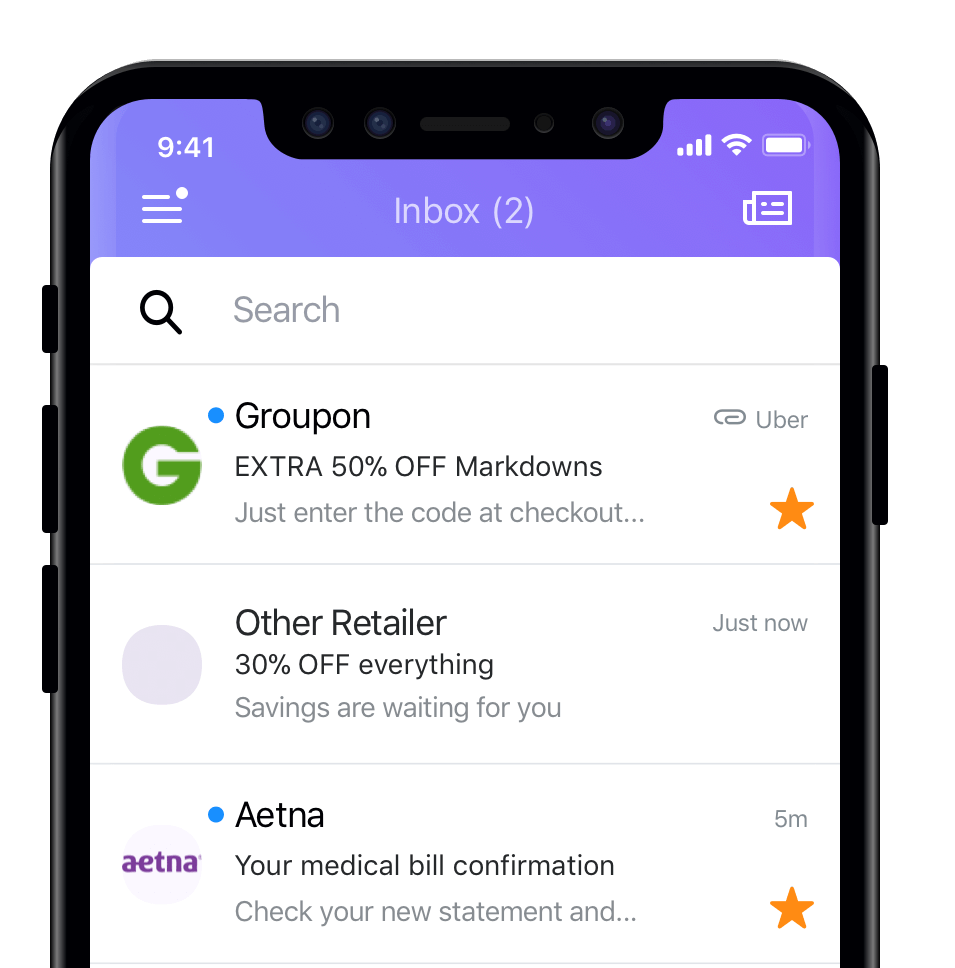
BIMI
in action. Source: Yahoo! Mail
How does BIMI work?
Like other email authentication standards, BIMI is essentially a text file.
That text file follows a specific format and lives on your sending servers.
When a message is delivered, the recipient's email service looks up the BIMI
text file--and where it's hosted--to ensure that the message can be
verified. Once verified, the BIMI file tells the email service where to find
the sender's logo and the email service pulls that logo into the inbox.
Although the underlying concept of BIMI sounds simple, there are a few key
things to keep in mind when setting up BIMI for your own brand:
To continue reading the article,
please
click here.
If you have any questions/comments on the above, please email
us.
|
|
|
|